Thrive™
Streaming-first mastering with spec validation.
Master to Spotify, Apple Music, YouTube, Netflix, vinyl, or broadcast — and know you've hit the spec before you upload. Thrive's loudness panel shows your master against fourteen platform targets in real time, with at-a-glance status pills, live guidance, and one-click adjustment to platform-correct loudness.
Join the launch list →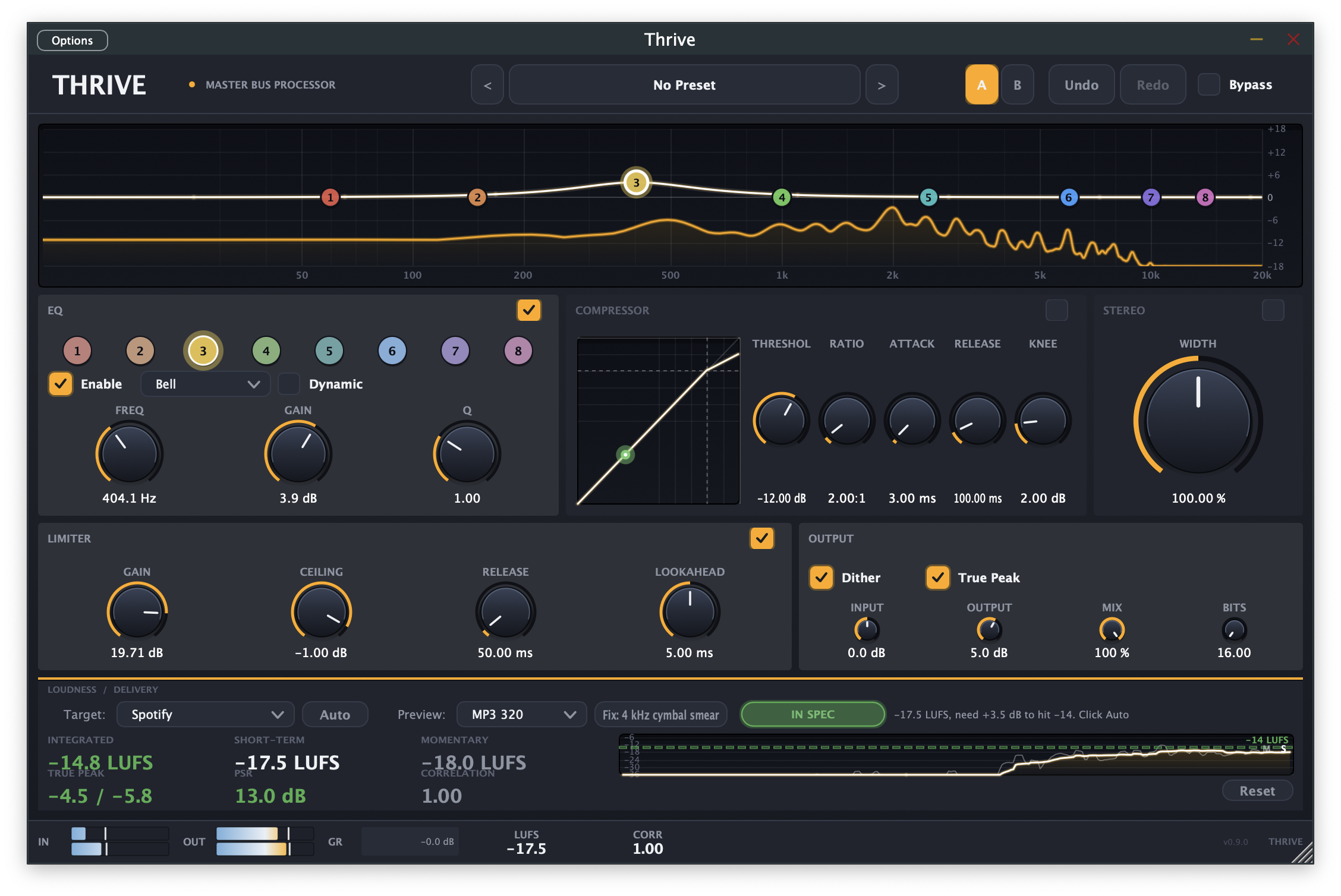
A full mastering chain,
built around streaming delivery.
Spec-driven loudness metering
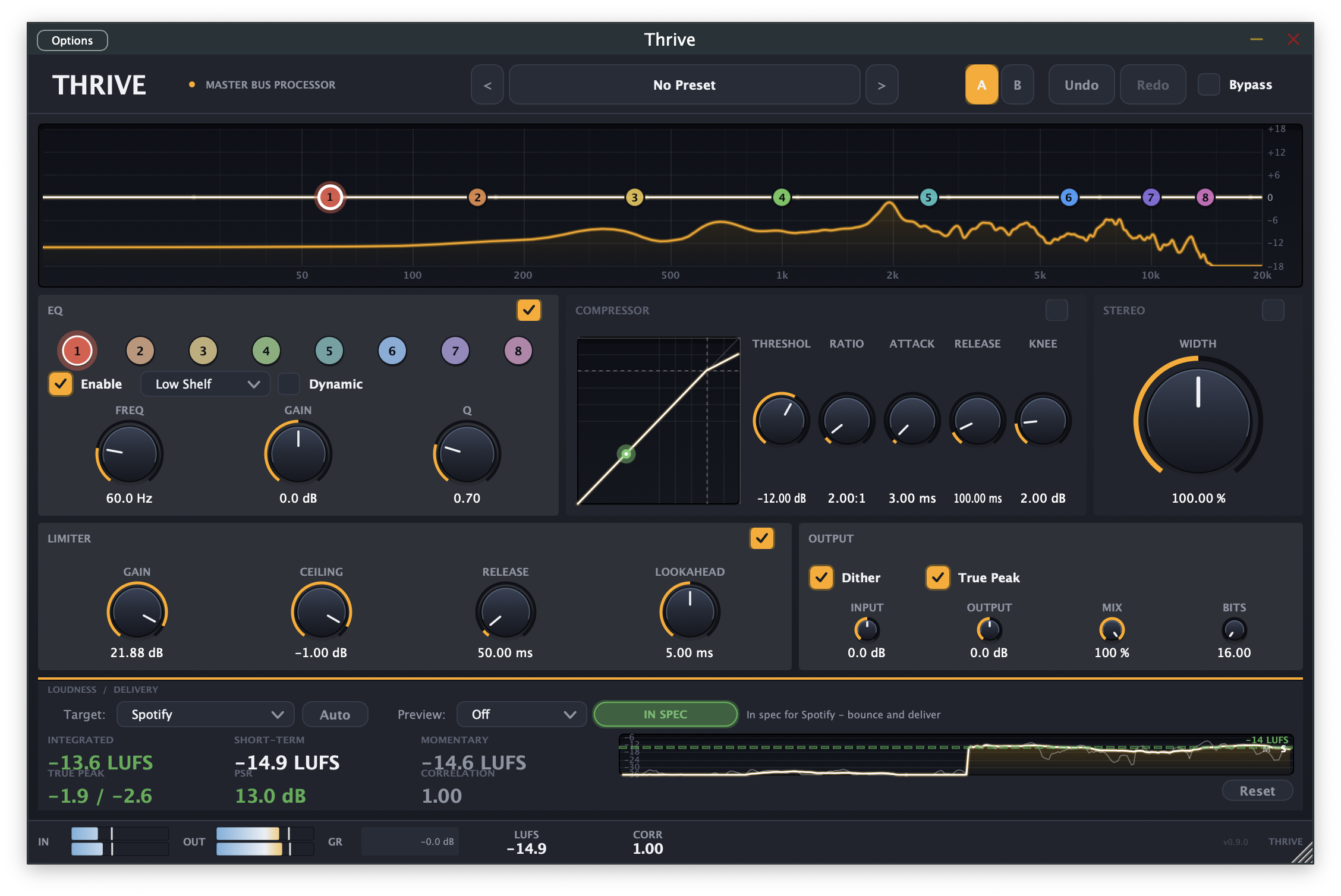
A dedicated panel shows Integrated, Short-Term, and Momentary LUFS alongside True Peak (L/R), PSR dynamic range, and stereo correlation. A 30-second scrolling LUFS graph shows how loudness has evolved across the section you just played.
Fourteen platform targets
Each preset carries the platform's published loudness target, true-peak ceiling, and dynamic-range floor as of 2024 — so you're hitting the actual spec, not an approximation.
At-a-glance spec status
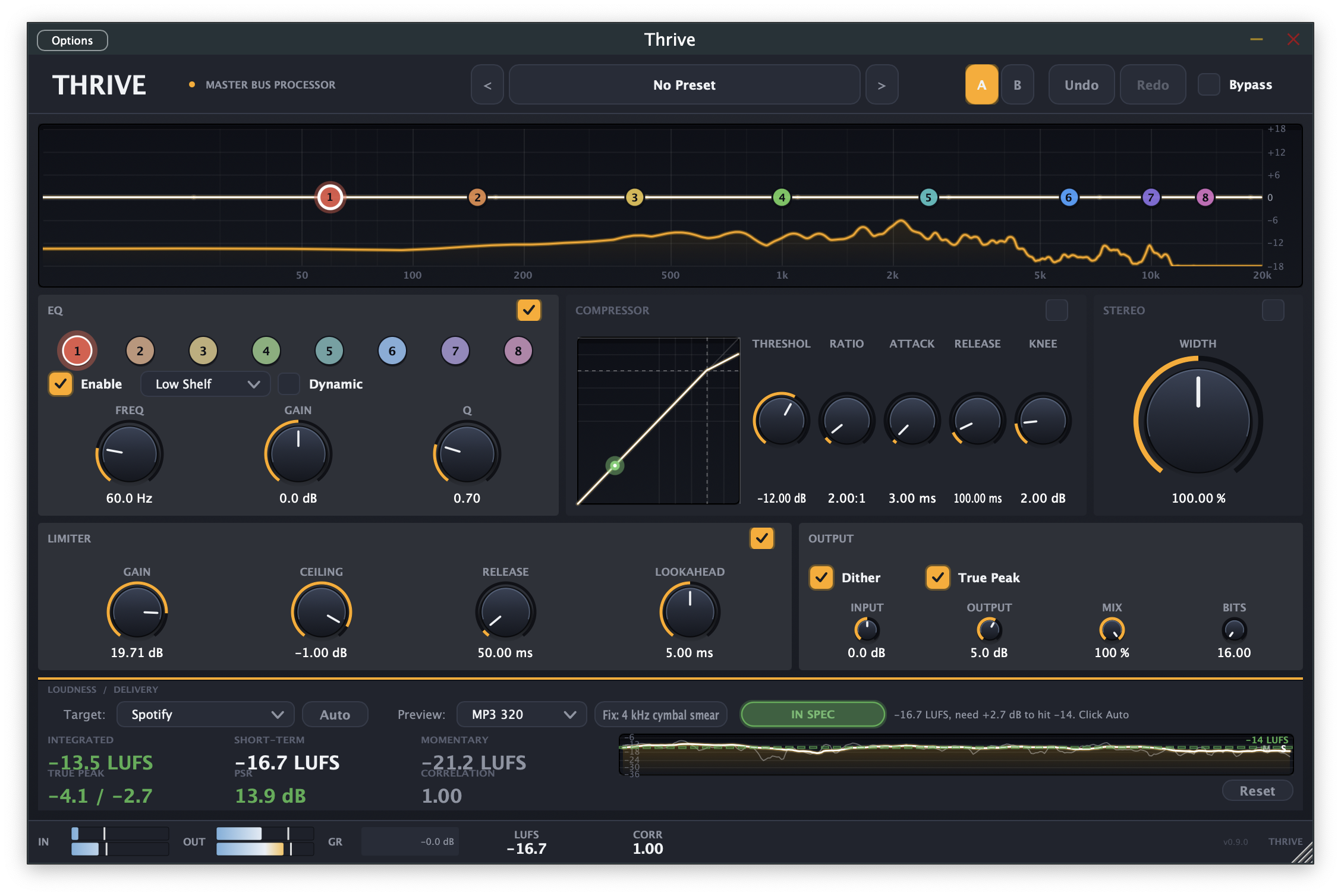
Red / green pills tell you instantly whether your master is in spec for the selected target. Live guidance text tells you specifically what to do next — "Add ~+5 dB Limiter Gain to reach -14 LUFS" — instead of just throwing numbers at you.
Codec preview
Listen to your master through DSP approximations of AAC 256, MP3 320, and Opus 128 — the actual artifacts streaming codecs introduce — before you hand off. A "Compensate" button applies codec-aware dynamic-EQ moves to fix the damage zones each codec is known to expose.
One-click Auto-Spec
Sets your limiter gain and ceiling so the master hits the selected platform target without fishing for the right combination. Tweak from there.
Full mastering chain
6-band parametric EQ with optional per-band dynamic mode and live spectrum overlay. Compressor with transfer-curve visualization. Stereo width. Brickwall limiter with lookahead. Output stage with input/output gain, mix (parallel processing), dither, and true-peak detection.
Starting points for every genre.
Thrive ships with 33 factory presets across 11 categories — Mastering, Technique, Dynamic-EQ showcases, Mixing, Electronic, Rock, Pop, Hip-Hop, R&B, Jazz, Classical, and Spoken Word (podcast, broadcast voice, audiobook narration). Each preset is a starting point, not a finished master — combine with a platform target and Auto-Spec for fast results, or hand-tune from there.
macOS 14.0 or later.
- Operating systemmacOS 14.0 (Sonoma) or later
- ArchitectureApple Silicon or Intel — Universal Binary
- Plugin formatsAudio Unit (AU), VST3, Standalone
- Tested hostsLogic Pro, Pro Tools, Ableton Live, Studio One, Reaper, GarageBand
- Memory8 GB RAM recommended
- Storage200 MB free disk space
Windows and Linux support are on the roadmap. macOS is the supported platform at launch.
Questions before you commit.
How is Thrive different from FabFilter Pro-L 2 or iZotope Ozone?
Will Thrive replace my existing mastering chain?
When will Thrive launch?
Will there be a free demo?
What about pricing?
How many computers does a license cover?
Join the launch list.
Be the first to know when Thrive 1.0 ships. One launch announcement, occasional development updates between. No spam.
Unsubscribe any time. See our Privacy Policy.